Why Manrope Serif Pairing for Web Typography Deserves Your Attention
Choosing the right font combination can make or break a website's readability and visual identity. If you're using Manrope as your primary sans-serif, finding a well-matched serif partner is one of the most impactful design decisions you'll make. A solid manrope serif pairing for web typography creates hierarchy, improves legibility, and gives your project a polished, intentional feel without relying on flashy design tricks.
What Exactly Is Manrope, and Where Does It Shine?
Manrope is a modern, geometric sans-serif typeface designed by Mikhail Sharanda. It features clean lines, generous x-height, and a slightly rounded personality that works exceptionally well on screens. It supports a wide range of weights, making it versatile for both headings and UI elements.
Because Manrope carries a contemporary, neutral tone, it pairs naturally with serif fonts that bring contrast and warmth. The goal is not to match styles it's to create deliberate tension. A serif partner should complement Manrope's clarity while adding a distinct voice, typically for body text, editorial content, or accent headings.
Which Serif Fonts Actually Work With Manrope?
Not every serif belongs next to Manrope. The pairing needs to balance contrast with cohesion. Here are proven options:
- Playfair Display High contrast, editorial feel. Ideal for headings when Manrope handles body text.
- Lora A well-balanced serif with moderate contrast. Reads beautifully in long-form body copy alongside Manrope navigation and headings.
- Merriweather Designed specifically for screen readability. Pairs well when your site prioritizes content-heavy layouts.
- Libre Baskerville Classic and dignified. Works for projects that need a traditional anchor without feeling outdated.
- Source Serif Pro Neutral and open. Excellent for dashboards, documentation sites, or technical blogs where both fonts share similar optical clarity.
- DM Serif Display Bold and expressive. Best reserved for hero headings while Manrope manages everything else.
How Do You Choose Based on Your Project?
Content Type Matters
A long-form editorial site benefits from Lora or Merriweather in body text, with Manrope handling navigation and headings. A product landing page might flip that Manrope for descriptions, a display serif like Playfair Display for hero statements.
Audience and Brand Personality
Tech startups and SaaS products often lean into Manrope with Source Serif Pro for a clean, trustworthy appearance. Lifestyle brands and creative agencies can push toward DM Serif Display or Playfair Display for more emotional weight.
Screen Density and Device Context
If your audience reads primarily on mobile, prioritize serifs with larger x-heights and open counters Merriweather and Lora perform well at small sizes. Desktop-heavy applications give you more freedom to use contrast-heavy options like Libre Baskerville.
Technical Tips for Implementation
- Set Manrope at a slightly smaller size or lighter weight than the serif to maintain visual balance between the two.
- Limit your pairing to two weights per font maximum. Four total weights keep file sizes manageable and prevent visual clutter.
- Use CSS
font-display: swapto prevent layout shifts during font loading. - Load both fonts through Google Fonts or self-host them for better performance control.
- Test your pairing at multiple viewport widths before finalizing. A combination that works at 1440px might feel cramped at 375px.
Common Mistakes to Avoid
Pairing two fonts with nearly identical x-heights and stroke contrast creates confusion rather than hierarchy. If Manrope and your chosen serif look "almost the same," the reader won't register the distinction pick something with more obvious structural difference.
Avoid using more than one serif alongside Manrope. Three-font systems increase cognitive load and complicate responsive scaling. If you need variety, introduce it through weight and size changes within your two chosen families.
Skipping real-content testing is another frequent error. Placeholder text like "Lorem ipsum" hides problems. Paste actual paragraphs and headlines to evaluate genuine readability.
Your Quick Implementation Checklist
- Define your hierarchy: which font handles headings, body text, and UI labels.
- Select your serif based on content type, audience, and screen context.
- Load both fonts with optimized weights only avoid importing full families.
- Set base font size to at least 16px for body text and establish a modular scale.
- Test on real devices at actual reading distances.
- Check load performance with PageSpeed Insights after adding fonts.
- Review contrast ratios to meet WCAG AA accessibility standards.
A deliberate manrope serif pairing for web typography transforms a generic layout into a reading experience that feels authored. Start with one pairing, test it against your real content, and refine from there. Try It Free
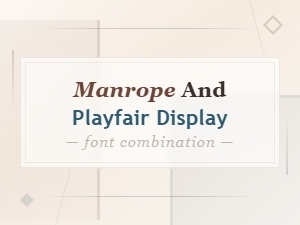 Manrope and Playfair Display Font Pairing Guide
 Best Serif Fonts to Pair with Manrope for Stunning Typography
 Manrope and Source Serif Pro Pairing: Typography Comparison Guide
 Manrope and Georgia Font Pairing for Clean Modern Layouts
 Manrope Font Pairing Guide for Modern Websites
 Best Fonts to Pair with Manrope: Complete Pairing Guide